Quotes
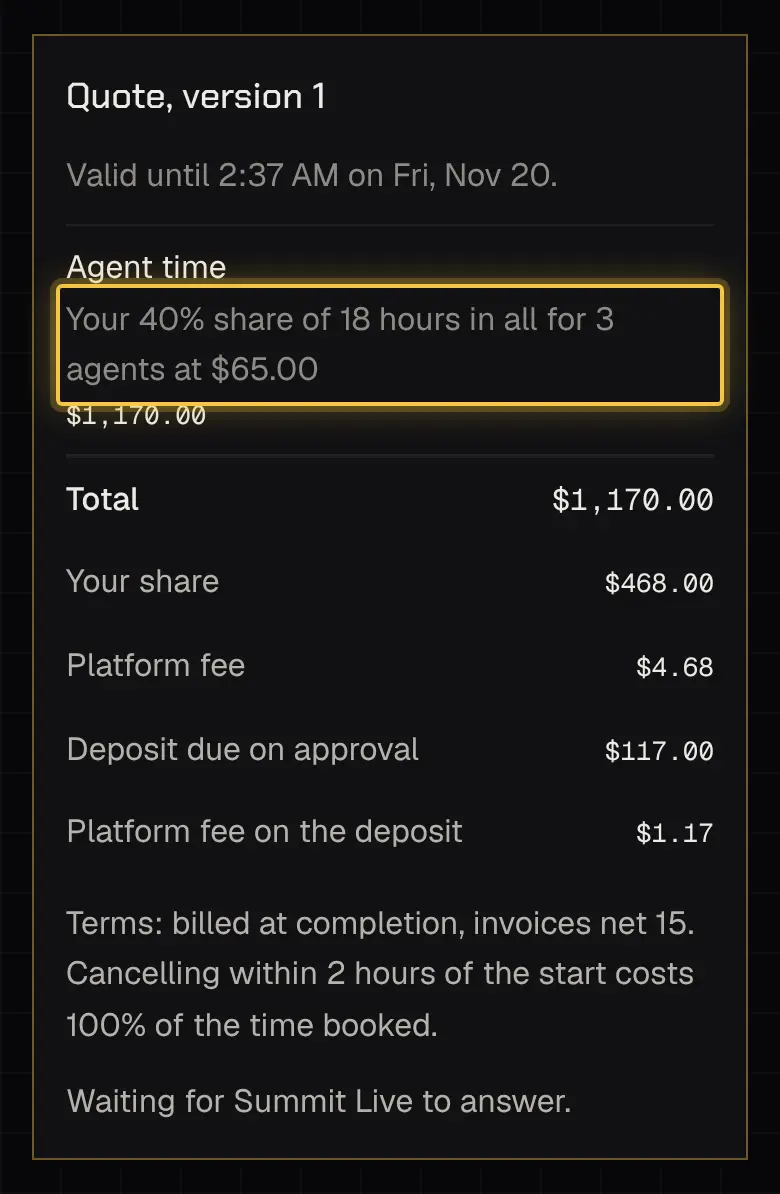
A quote appears on the booking as Quote, version N, with the date it’s valid until and its terms: when invoices are due and the cancellation rule. A reminder comes 48 hours before it runs out, or halfway there for a quote sent with less time.
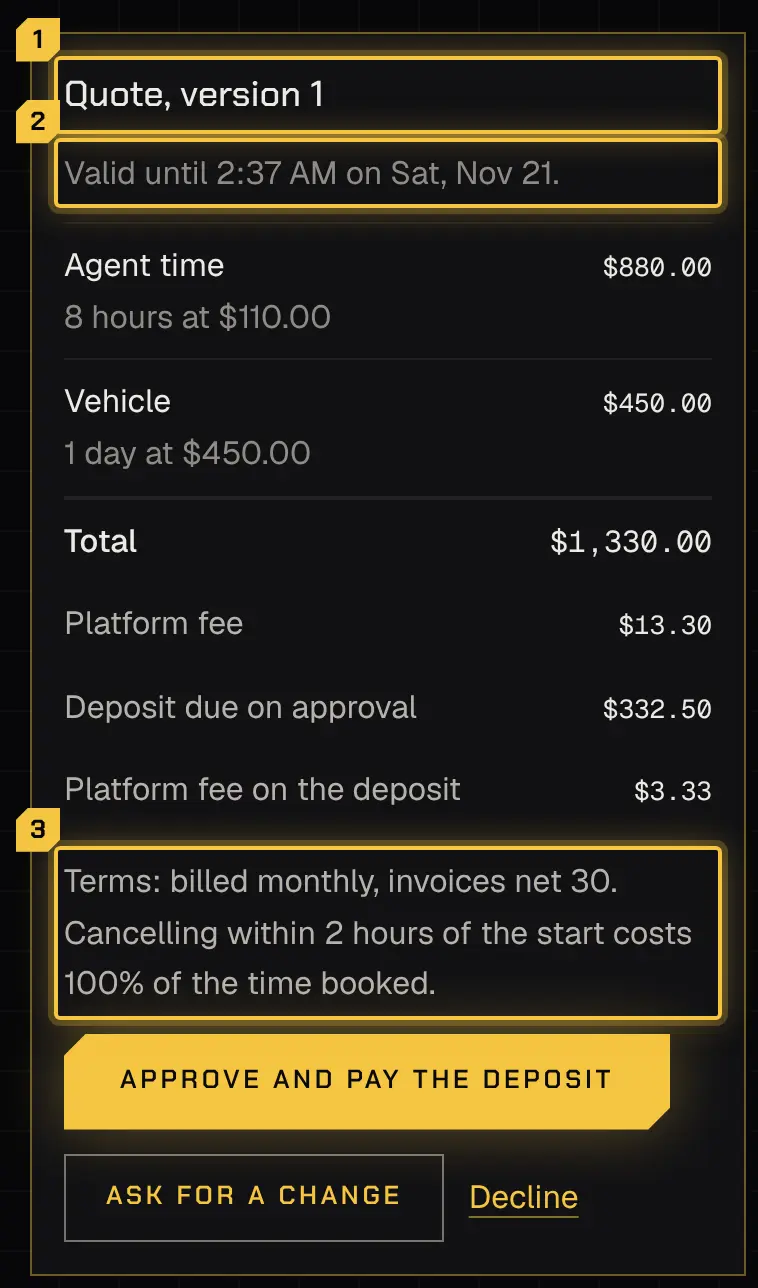
Answering a quote
Section titled “Answering a quote”You need the Approve quotes, changes, extra time and cancellations permission.
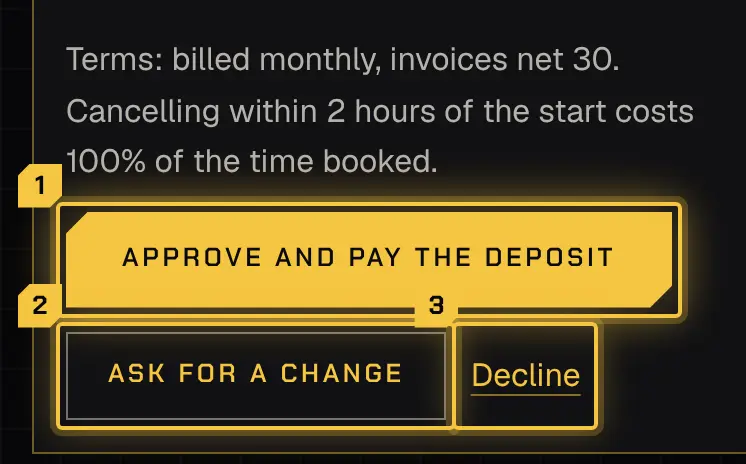
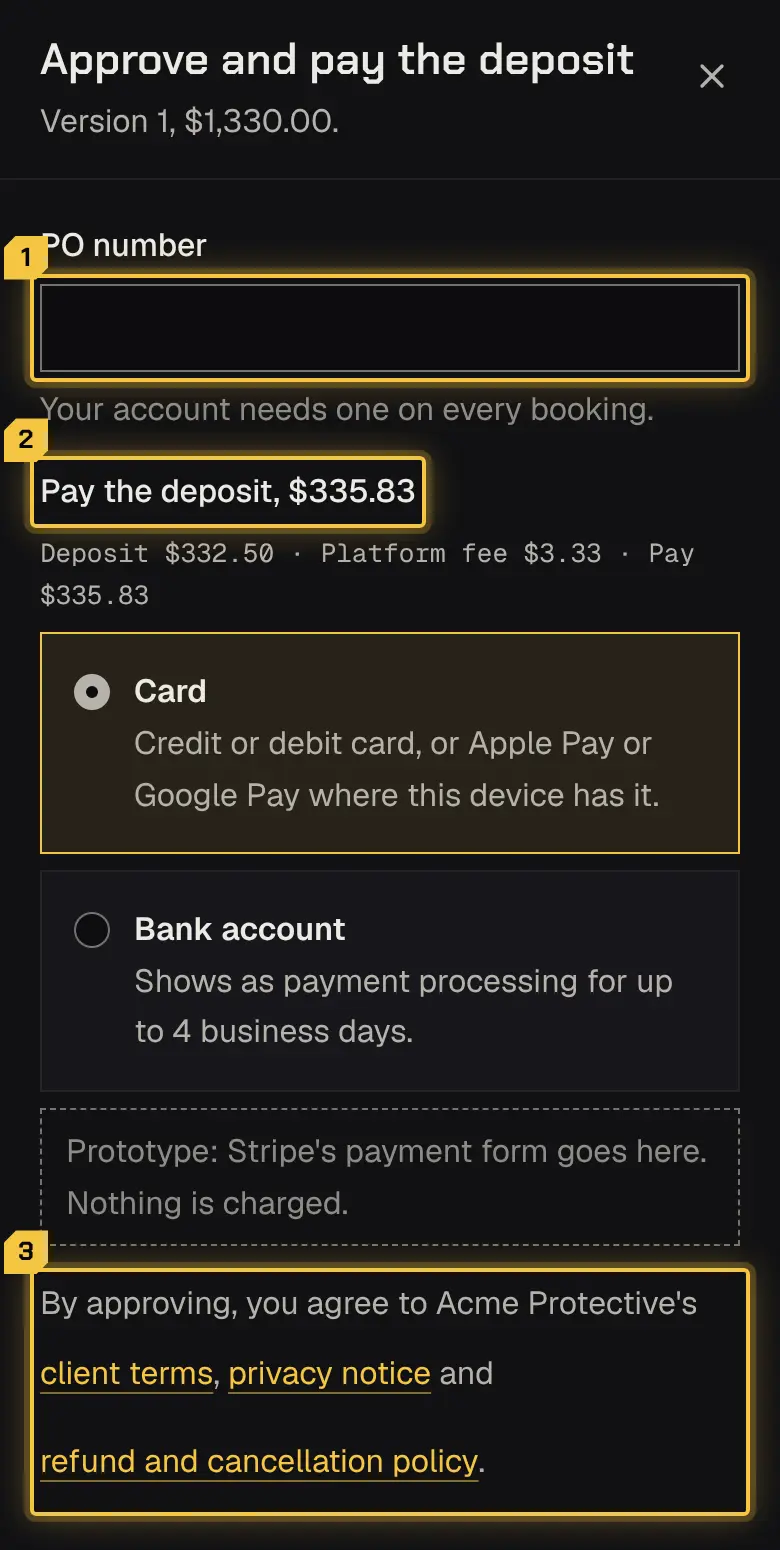
- Approve (or Approve and pay the deposit): enter a PO number if your account needs one. Approving agrees to your security provider’s client terms, privacy notice and refund and cancellation policy; each is linked next to Approve.
- Ask for a change: say what you’d like. Your security provider sends a new version; this one stays open meanwhile.
- Decline: say why, if you like.
If you can request but not approve, the booking shows who it’s waiting on.
Deposits
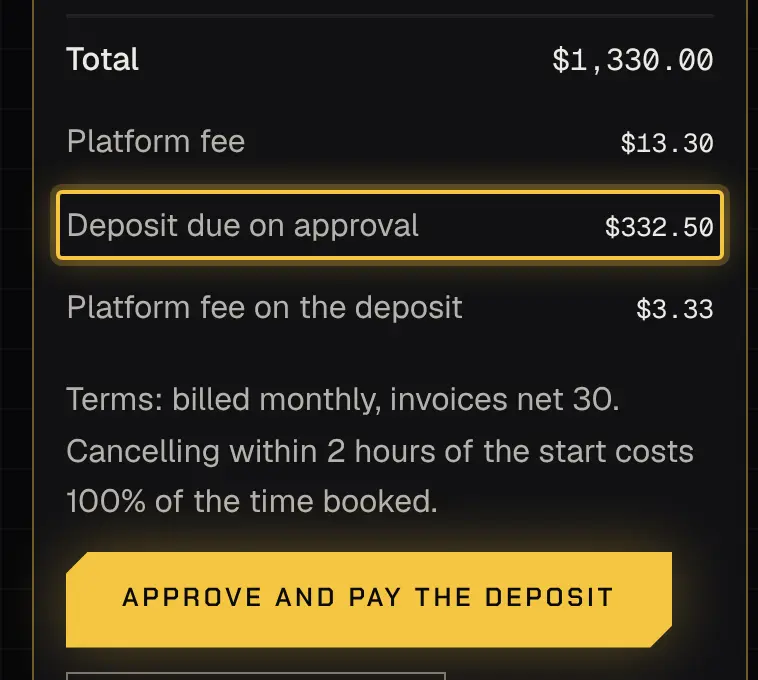
Section titled “Deposits”Some quotes take a deposit when you approve, by card, Apple Pay, Google Pay or bank account. It’s credited on the booking’s invoices.
A quote may also show a Platform fee line: a 1% fee on payments made online, added on top of the total. When you pay the deposit online, its fee shows as Platform fee on the deposit. Payments made outside the portal carry no fee.
- A card payment takes a moment. A bank payment can take up to 4 business days: the booking reads Approved, deposit clearing meanwhile.
- Paying from a new bank account opens Stripe’s secure screen for linking your bank. That screen shows the name of the platform your security provider uses, not your provider’s own, and no setting changes it. You’re still paying your security provider: the bank authorisation, your bank statement, the receipt, the invoice and this portal all show its name.
- If a deposit doesn’t go through, your approval stands: pay it to confirm the booking.
- If your security provider takes payment outside the portal, the booking reads Approved, deposit to pay directly.
Shared bookings
Section titled “Shared bookings”A booking can be shared by up to 5 payers, each paying their own share. It’s confirmed once every payer approves the latest version; a new version asks everyone again. Each payer sees only their share. A later change or extra time asks only the payers whose share goes up.
Powered by Shyld